Reviewing
How members and guests leave point and text comments, resolve threads, and switch versions.
Open the artifact link and leave feedback where it belongs. Signed-in members comment under their account name; everyone else enters a guest name. Point comments attach to an element position. Text comments attach to selected text. You can resolve or reopen threads, and the version switcher keeps old feedback visible on the version it described. For lighter feedback, react to any comment with an emoji, or use the rail's emoji tool to drop a reaction (👍 🎉 ☕ …) right on the artifact — it lands as a pinned comment the author's agent sees like any other.
The rail's tools also answer to single keys, so a pass over a long artifact doesn't cost a trip to the right edge each time: C comments, P point, E emoji, V versions, S share, and ? for the full list. They keep working while you're reading the artifact itself, and pause while you're typing a comment. Esc backs out of whatever is open.
The rail gets out of the way when you want the artifact to itself. The chevron at the top of it slides it off the right edge, leaving a small three-dot grabber that still carries your unread count; click or tap the grabber to bring it back. Putting it away by hand is remembered for next time, on that browser — otherwise the rail always starts out. On a phone it also tucks itself while you read, since there it sits on the text rather than in the margin: scroll the artifact and it slides away.
You can edit or delete your own comments — hover a message you wrote and use the pencil or trash. Editing marks the comment edited; deleting replaces it with a "Comment deleted" tombstone so any replies underneath it survive. This is author-only: it acts on comments you wrote (matched by your account, or by the guest identity stored in this browser), separate from an owner deleting a whole thread.
Reviewers never need an account. Guest commenting remains the core of the loop; signing in only adds member identity when the reviewer already has an account (see Tokens and auth).
Closing review
Not every artifact is open forever. Every artifact has a review mode, set in Settings → Access on the dashboard or from the gear in the review page's rail:
- Open for review — the default. Anyone who can open it can comment.
- Read-only — the feedback you already have stays readable, with its pins, threads, and version history intact. Nobody can add to it. The comment box is replaced by a line explaining why, so a reviewer finds out where they'd have written. Use this when the round is done and you're working through what came back.
- Plain artifact — no review layer at all. No rail, no pins, no comments, for you as well as your reviewers. The artifact is just the artifact. Use this when you're handing something over as a deliverable rather than opening it for feedback.
A separate switch — Settings → General → Version history, or the one at the foot of the rail's version list — takes that list out of the rail: reviewers see only the latest version, and the V key does nothing for them. You and anyone else who manages the artifact still get the list, versions stay immutable, and a /vN/ link still opens.
Comments are never deleted by a mode change. They are kept exactly as they were and come back when you reopen review.
Two things stay possible whichever mode you pick, because closing review stops feedback going in and never stops it coming out: you can always delete a thread on an artifact you manage, anyone can always delete a comment they wrote, and you can keep resolving and reopening the threads you already have.
Since plain mode hides the rail for you too, reopen review from your dashboard.
Agents can set this without an account, using the publish token:
artifact-cafe publish . --review off   # hand over a plain artifact
artifact-cafe review readonly          # close an existing artifact to new comments
artifact-cafe review open              # reopen it
Any signed-in reviewer can @-mention someone — type @ in a comment or reply and pick from the list, which leads with the people already commenting here and then your workspace's members; the person you tag gets notified. Guests in that list are marked not notified, since there's no account to reach. Every thread also has a copy-link button in its header: the link opens the review page with that exact thread scrolled into view and its conversation open, so "see my comment about the header" becomes one URL.
Multi-page artifacts are deep-linkable. As you click between an artifact's pages, the review URL follows along (/a/your-slug?page=docs/index.html) — copy it to send someone straight to that page. A link without ?page= opens the entry page. Comments stay on the page where they were made, and opening one from the comments drawer or a thread link jumps to its page.
Some links are password-protected. If the author set a password, enter it once when prompted; the artifact stays unlocked for later visits. If an artifact looks unsafe, see Security and trust for how to report it.
When the author opts into live editing and runs artifact-cafe comments --wait,
the page shows what the agent is doing right now — Agent is listening,
Agent is editing, or Agent is publishing. Comments left during that
temporary session return directly to the agent with their anchor and version.
When the agent publishes a new version, the page follows it live: the artifact
updates in place with your reading position preserved (or offers a "just
published" banner if you're mid-comment). Outside a live session, guests can
still leave comments for the author to collect later. See the
Live agent loop for the complete reviewer-to-agent
workflow.
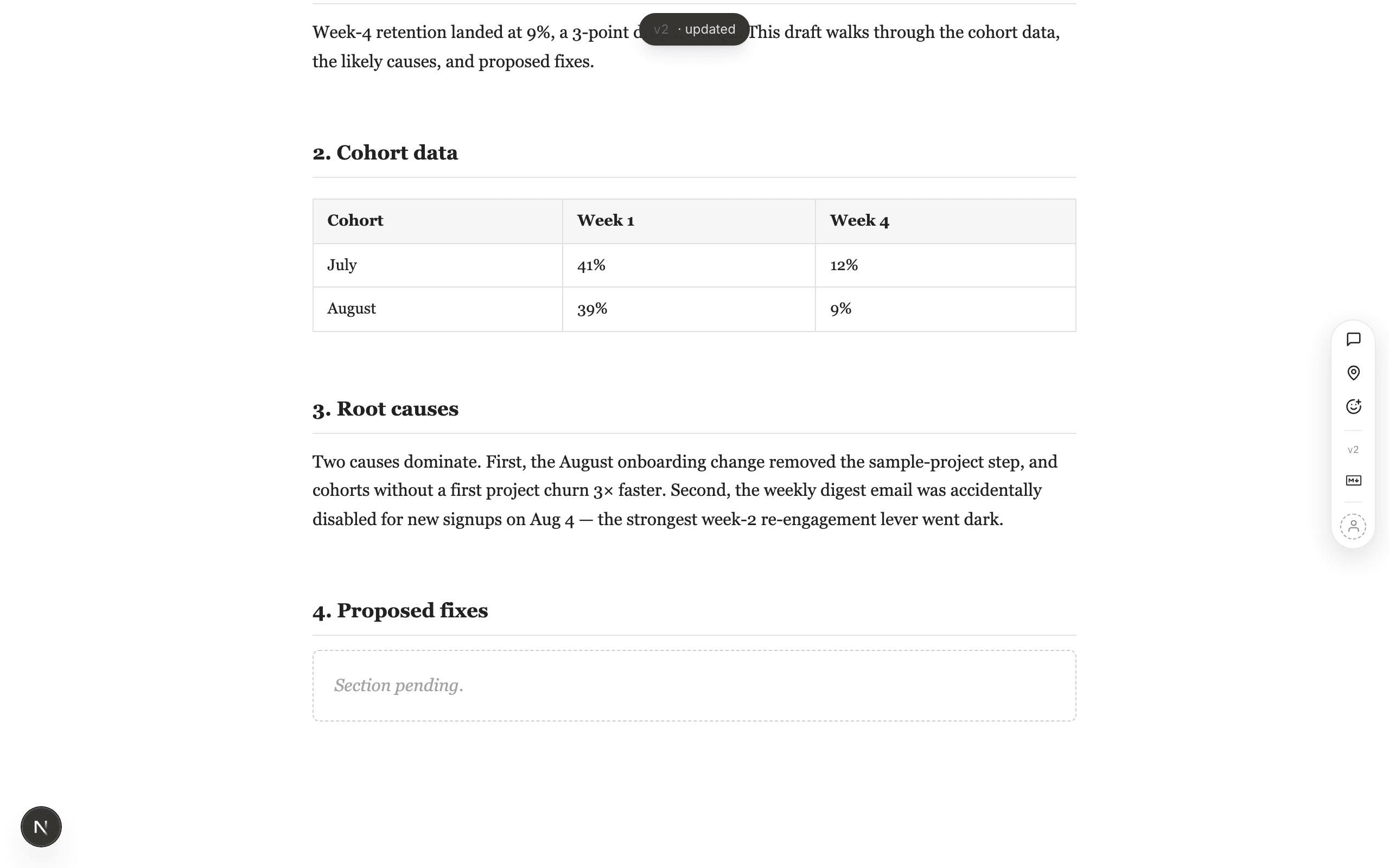
A new version landing while you read: the content updates where you are, with a brief version tick — no reload.