Set up MCP in more than 40 agents
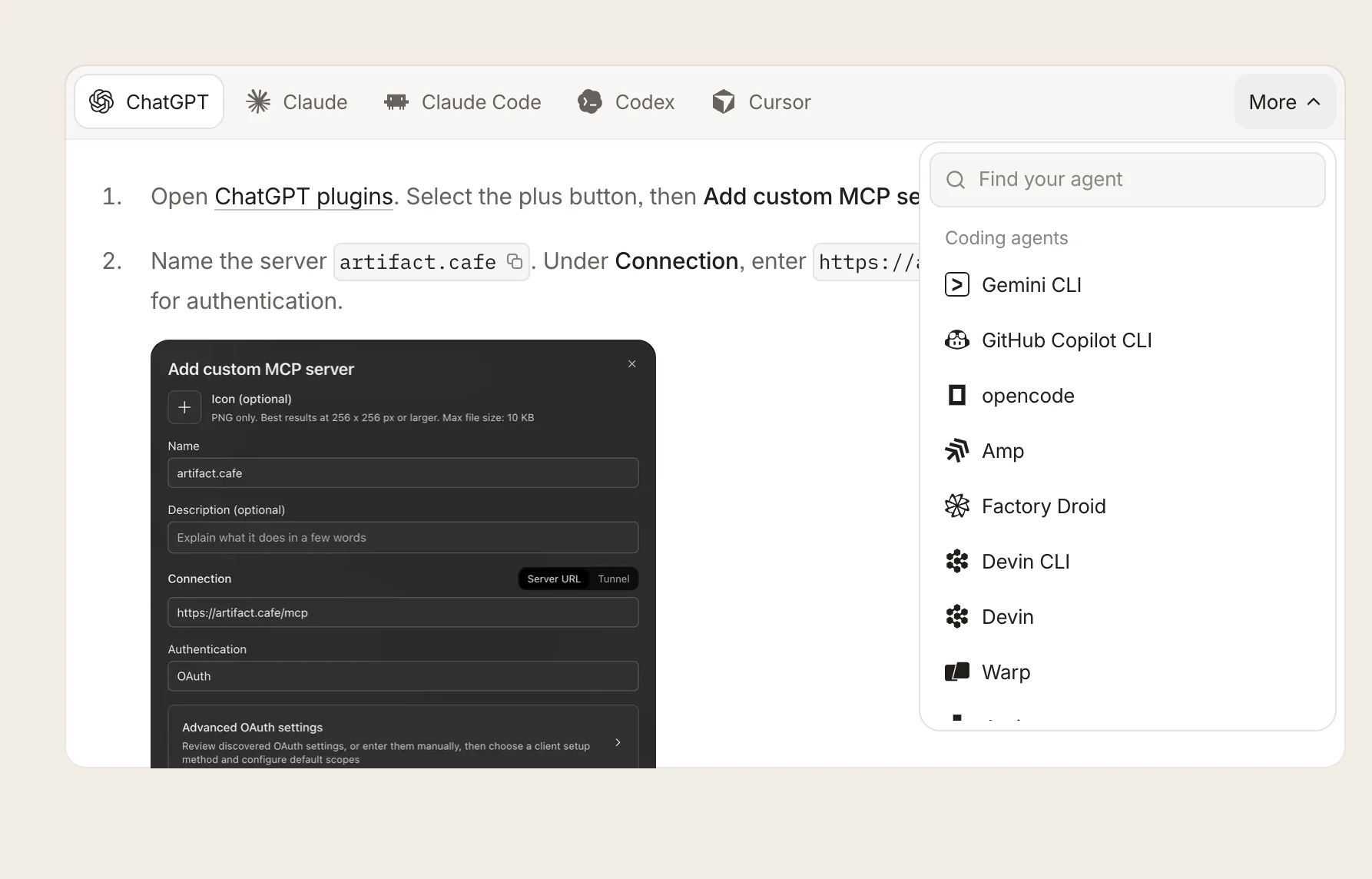
Connect artifact.cafe to the agent you already use. The MCP setup guide now has steps for more than 40 agents.
- Find your agent. ChatGPT, Claude, Claude Code, Codex, and Cursor have their own tabs. Open More to search the other agents, such as Gemini CLI, GitHub Copilot CLI, and Amp.
- Sign in from more agents. Agents that register themselves with the server can now sign in with OAuth.
- Create a key in the guide. When you are signed in, the API key step can create a key and copy it for you.
- Open the server URL in a browser.
https://artifact.cafe/mcpnow takes you to the setup guide.
artifact.cafe in five languages
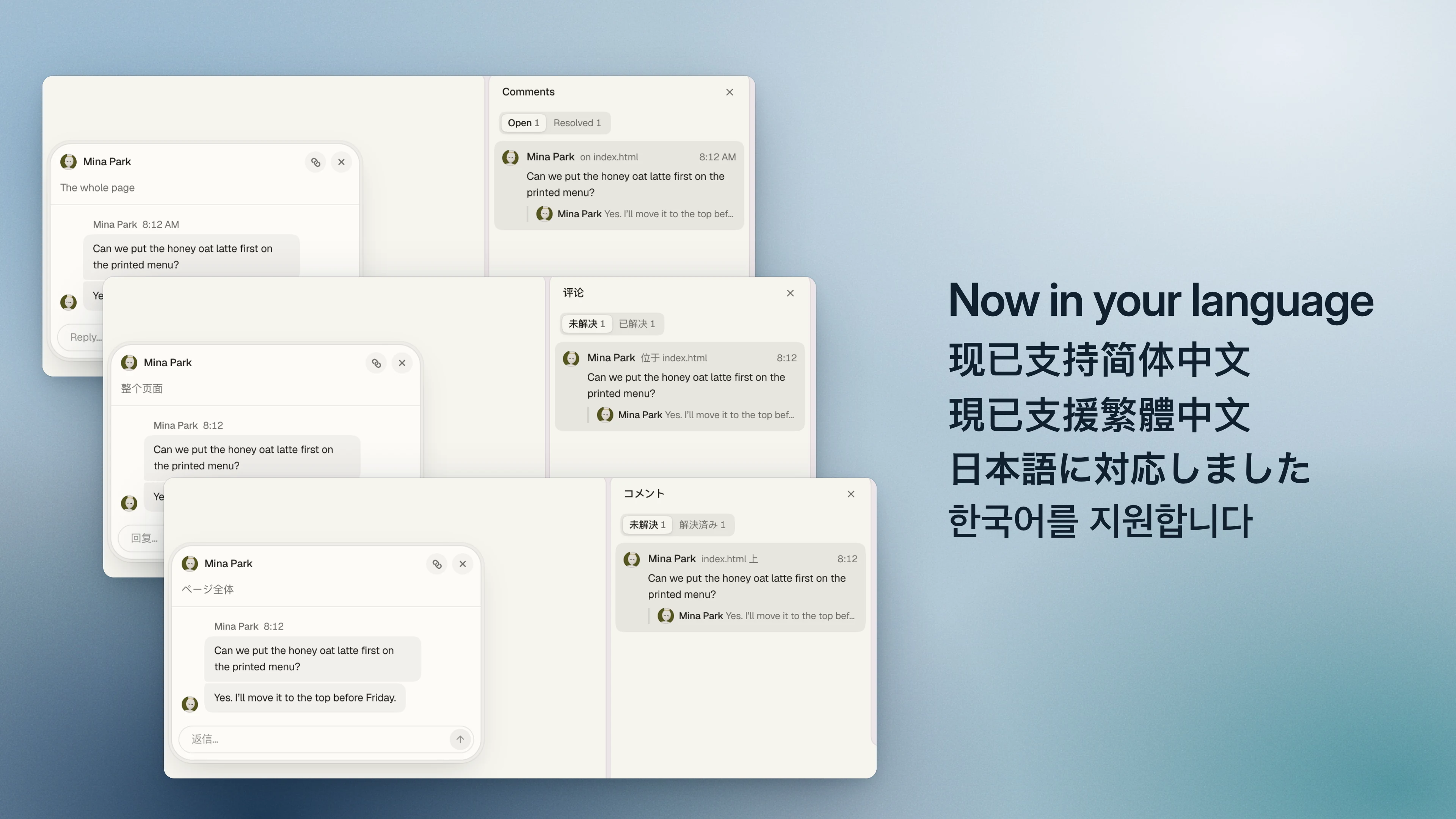
Use artifact.cafe in English, 简体中文, 繁體中文, 日本語 or 한국어. Pick a language in Account settings. Artifacts and comments stay as people wrote them.
Improvements6
- SettingsThe app and the website come in English, Simplified Chinese, Traditional Chinese, Japanese and Korean. The app follows your browser until you pick a language in Account settings. Review links stay the same in every language.
- WorkspacesIn workspace settings, you can hide the Artifact Cafe badge and list the HTTPS sites that can embed your artifacts. The settings apply to versions you already published.
- WorkspacesMembers can now create, rename, and reorder folders without an admin. To make a folder public or delete it, you still need an owner or admin.
- DashboardThe dashboard opens in the workspace you used last, not always in Personal.
- DashboardNew folders and artifacts get a gray icon. The icon picker opens on Icons, with search and nine tints. Emoji is still a choice.
- ReviewMarkdown artifacts are easier to read, with dark text on white, a narrower column, and one title. The source download is below the text.
Fixes1
- MCPChatGPT stays connected. It no longer asks you to connect again after five minutes.
CLI and API1
- CLI
publish --icon <name>andfolders create --icon <name>set the icon for a new artifact or folder.