변경 기록

artifact.cafe의 새로운 기능과 수정 사항입니다.

Set up MCP in more than 40 agents
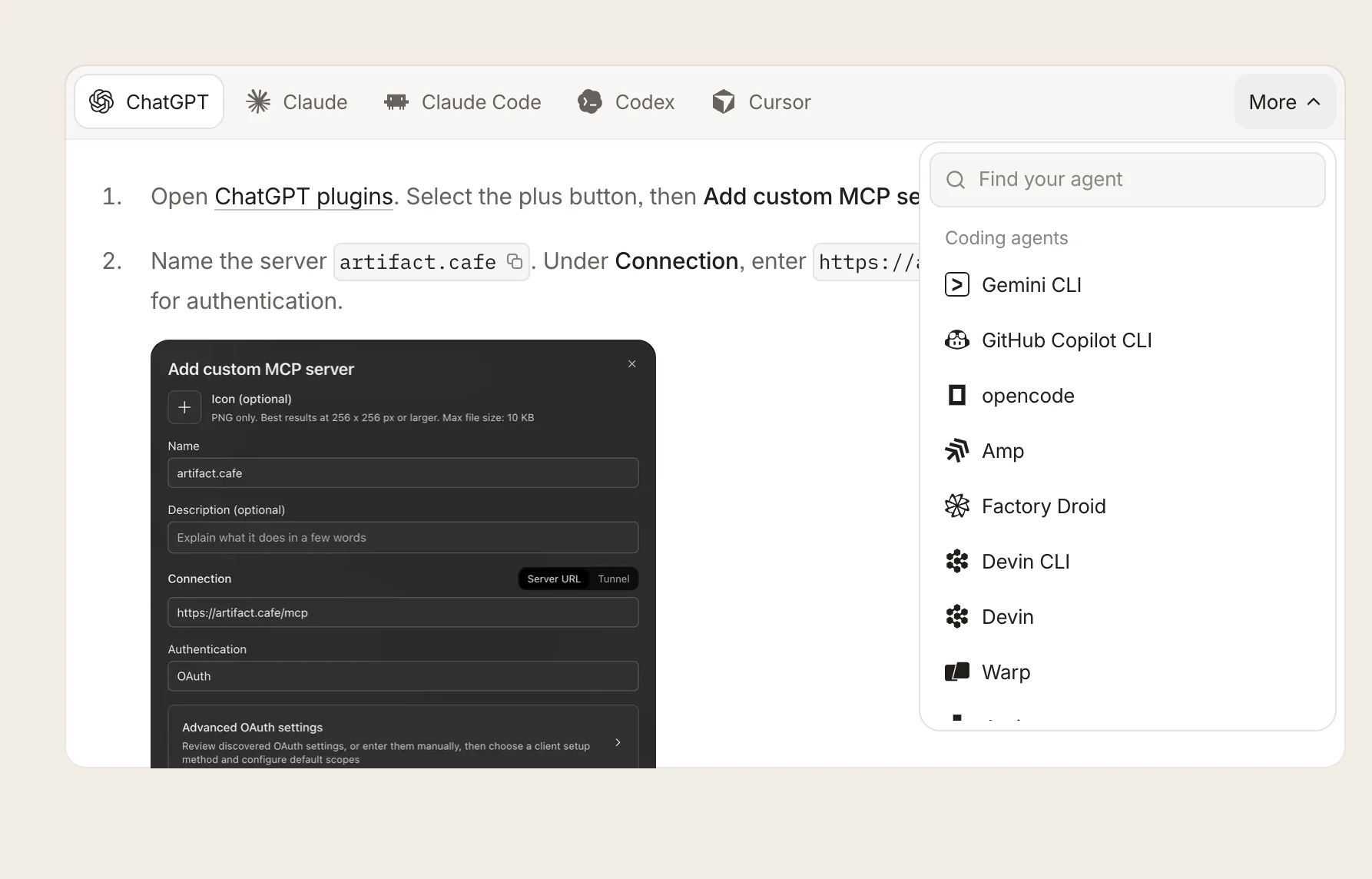
The MCP setup guide shows steps for ChatGPT. Next to them, the More menu is open with a search field and a list of coding agents, such as Gemini CLI, GitHub Copilot CLI and Amp.

Connect artifact.cafe to the agent you already use. The MCP setup guide now has steps for more than 40 agents.

  • Find your agent. ChatGPT, Claude, Claude Code, Codex, and Cursor have their own tabs. Open More to search the other agents, such as Gemini CLI, GitHub Copilot CLI, and Amp.
  • Sign in from more agents. Agents that register themselves with the server can now sign in with OAuth.
  • Create a key in the guide. When you are signed in, the API key step can create a key and copy it for you.
  • Open the server URL in a browser. https://artifact.cafe/mcp now takes you to the setup guide.

artifact.cafe in five languages
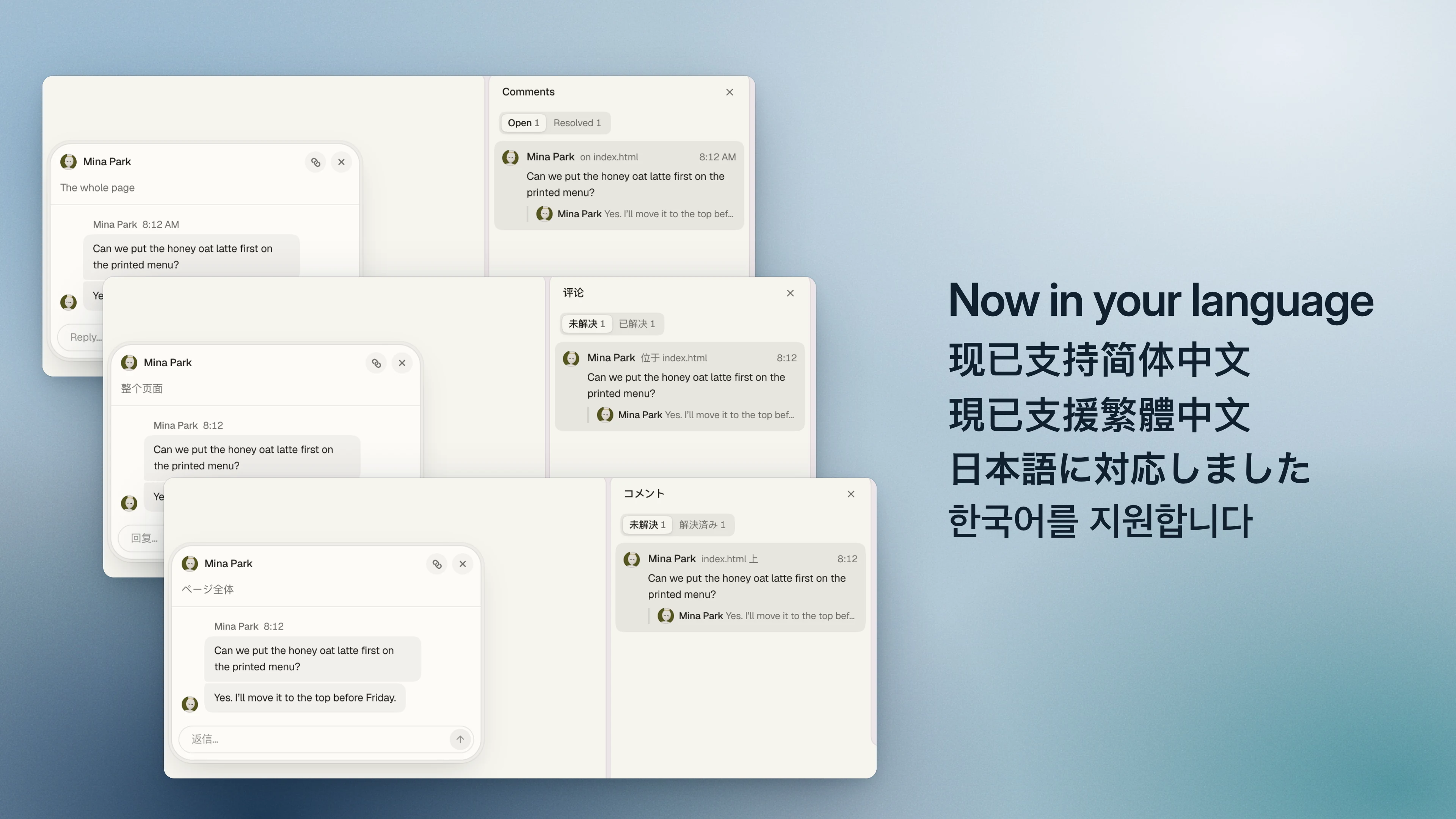
The same review page three times, in English, Simplified Chinese and Japanese. The comment panel changes language and the comment text stays in English. Beside it, "Now in your language" is written in English, Simplified Chinese, Traditional Chinese, Japanese and Korean.

Use artifact.cafe in English, 简体中文, 繁體中文, 日本語 or 한국어. Pick a language in Account settings. Artifacts and comments stay as people wrote them.

Improvements6
  • SettingsThe app and the website come in English, Simplified Chinese, Traditional Chinese, Japanese and Korean. The app follows your browser until you pick a language in Account settings. Review links stay the same in every language.
  • WorkspacesIn workspace settings, you can hide the Artifact Cafe badge and list the HTTPS sites that can embed your artifacts. The settings apply to versions you already published.
  • WorkspacesMembers can now create, rename, and reorder folders without an admin. To make a folder public or delete it, you still need an owner or admin.
  • DashboardThe dashboard opens in the workspace you used last, not always in Personal.
  • DashboardNew folders and artifacts get a gray icon. The icon picker opens on Icons, with search and nine tints. Emoji is still a choice.
  • ReviewMarkdown artifacts are easier to read, with dark text on white, a narrower column, and one title. The source download is below the text.
Fixes1
  • MCPChatGPT stays connected. It no longer asks you to connect again after five minutes.
CLI and API1
  • CLIpublish --icon <name> and folders create --icon <name> set the icon for a new artifact or folder.
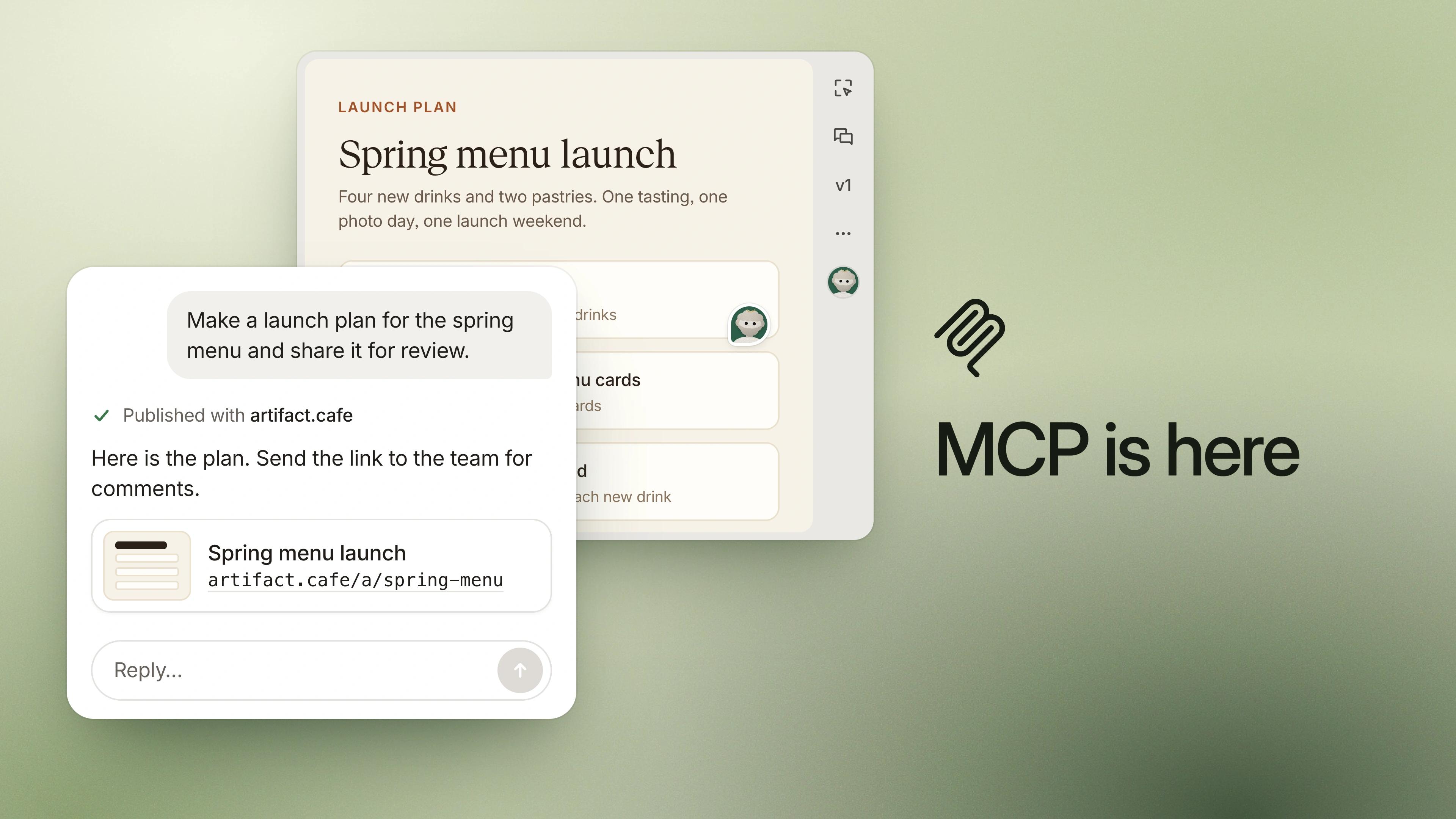
MCP is here

A chat shows a request for a spring menu launch plan and a reply with a review link. Behind it, the review page shows a comment pin.

Ask Claude or ChatGPT to publish an artifact for review. In the same chat, you can open an artifact and reply to its comments.

  • Connect any agent. Add https://artifact.cafe/mcp to an agent that supports remote MCP. In Claude or ChatGPT, add it by hand and sign in to artifact.cafe.

    Neither app lists artifact.cafe in its directory. For full custom MCP access in ChatGPT, you need a Business, Enterprise, or Edu plan.

  • Use an API key. You can connect Claude Code, Codex, or Cursor with an account API key. For Cursor, an API key is the only way to connect.

  • Choose workspaces. When you sign in with OAuth, select the workspaces the app can use. In Settings > Security > MCP, you can see each connected app and select Disconnect.

  • Approve access changes in your browser. Open the approval link from your agent to approve wider visibility, password changes, or invitations.

A tab bar for reviewing on your phone

On a phone, Menu, Select, Comments, Versions and More sit in one bar at the bottom of the screen. Scroll to read, and the bar becomes a pill.

The Inbox is on for everyone

Every thread that needs you is in one list in the sidebar. Mark threads as read, pin them, and peek at the commented spot without opening the artifact.

Improvements2
  • DashboardThe Inbox is now on for every member. It shows every thread that needs you in one list, and it replaces New comments in the sidebar. You do not need to turn it on in Experimental.
  • ReviewSwipe right to open the workspace sidebar. Tap the title pill or scroll up to reopen the bar. Find Share and your account in More. On supported phones, feel a tick when you tap a tab or page through versions.

Search the text inside your artifacts

⌘K searches the text inside every artifact in your workspace, not only the titles. It matches your words and their meaning, in English and Chinese.

  • Matching passages. Each artifact in the results lists up to three matching sections, with your words highlighted. A section found only by meaning shows Related.
  • Read before you open. The side pane shows the section text with the matching passage marked.
  • Open at the passage. Press Enter to open the review page at that section, with the passage marked.
  • Only what you can open. Search reads the current version of each artifact. It skips artifacts you cannot open.

Your agent can search too

Your agent runs the search command with your question, then reads the top result. It gets the text of that section and answers from it.

Improvements6
  • DashboardPress ⌘C on a selected result to copy its link.
  • DashboardIf you reopen ⌘K within 5 minutes, your last search and the selected result are still there.
  • DashboardIf a search fails or you are offline, ⌘K keeps the title matches and offers Try again. If you search too often, it counts down the wait.
  • ReviewThe Comments panel stays open while you read threads. Each card shows the two latest replies.
  • ReviewOn a phone, tap the corner button to open the review tools.
  • DashboardThe sidebar remembers its collapsed state when you reload. Move to the left edge to peek.
Fixes6
  • InboxOpening a thread marks it read. The New divider skips agent replies that do not mention you.
  • ReviewResolved threads opened from a link show their mark. Missing text shows Outdated.
  • ReviewThreads stay open when the artifact changes screens to show their target.
  • DashboardThe setup prompt signs your agent in, so its artifacts appear in your account.
  • ArtifactsLinks outside an artifact show a page that explains the missing destination.
  • DashboardWhile you type with an input method editor, ⌘K waits until you confirm the text. Enter confirms it and does not open a result.
CLI and API3
  • CLIsearch finds sections of artifacts in your workspaces. Narrow it with --workspace, --folder or --artifact. --limit sets the count and --json prints the result. It needs a signed-in member, not a publish token.
  • CLIread prints one section as Markdown from its section id. With an artifact slug or a review URL, it lists the sections.
  • SkillThe agent skill looks up context in your workspace artifacts. It searches, then reads only the sections it needs.

Click, select or drag to comment

Commenting on a review page is one tool now. Press P, then point at what you mean.

  • Click an element to pin a comment to it.
  • Select text to comment on a few words. They stay highlighted.
  • Drag a box around any area, even across several elements.
  • The thread opens in place. Replies, reactions and the reply box sit next to the spot, in the colors of the page.

Pin what matters

Pin artifacts and folders to the top of your sidebar. Owners and admins can pin them for the whole workspace.

Your sidebar, your order

Drag folders and artifacts into the order you want. Hold ⌘ to see shortcuts, such as ⌘1 for your first pin and ⌘K to search.

Try new features early

Open Experimental from the account menu, under Settings. Turn on a feature to try it before everyone else, starting with the Inbox.

Improvements15
  • DashboardTry new features before everyone else. Open Experimental in the account menu and turn on the ones you want. The Inbox is the first.
  • DashboardPin artifacts and folders to the top of the sidebar for yourself. Owners and admins can also pin them for the whole workspace.
  • DashboardDrag folders and artifacts into your own order. A new version no longer moves an artifact to the top.
  • DashboardHold ⌘ to see shortcuts. ⌘1 to ⌘9 open your pinned artifacts, ⌘K searches, and ⌘\ hides the sidebar.
  • DashboardGallery cards show a screenshot of each artifact, so large galleries open and scroll faster.
  • DashboardAfter a release, the sidebar shows what's new.
  • NotificationsReplies from agents no longer count as unread or go into emails, unless they mention you.
  • SharingThe Share popover lists who has access, their roles and pending invites. The Web tab handles the public link.
  • SharingIf you can't open an artifact, you can ask for access. The owner gets an email and approves the request from Share.
  • SharingLink previews in Slack and other apps match the dashboard.
  • ReviewOwners can open Stats from the ⋯ menu to see views and versions.
  • ArtifactsAn artifact can ask to use your microphone. It gets access only after you click Allow.
  • PhoneThe sidebar is a drawer that slides in from the left, and buttons and fields are a better size.
  • EmailEmails have a new look. New accounts get a short welcome and one tip. Unsubscribe asks you to confirm first.
  • AppearanceNew colors with better contrast, dark primary buttons, and larger tap targets on touch screens.
Fixes5
  • ReviewA page with a gradient or image background now gets a matching light or dark frame.
  • ReviewA page with </body> inside a script no longer breaks on the review page.
  • SharingAfter too many wrong passwords on a protected artifact, unlocks pause for a short time.
  • EmailThe sign-in code copies as one string, and emails show account photos.
  • EmailShare invites no longer show an empty card.
CLI and API8
  • CLIcheck looks at an artifact before you share it: script errors, plus screenshots at desktop and phone widths.
  • CLIpublish warns when a new version removes something that has an open comment. --dry-run shows what would happen and uploads nothing.
  • CLIedit-file replaces text in the current version and publishes the result, with no local copy.
  • CLIAPI keys and passwords can come from ARTIFACT_CAFE_API_KEY, ARTIFACT_CAFE_PASSWORD or stdin, so they stay out of shell history.
  • SkillThe CLI installs the artifact.cafe skill for your agent and keeps it current. The skill now covers design and writing, and makes a page of options for you to pick from.
  • APIdata-ac-part keeps comments on a part of the page when the page redraws.
  • APIcomments --json includes author IDs, so an agent can mention the owner.
  • APIAPI keys can no longer manage keys, sessions or your account. Use the dashboard for those.

A new dashboard

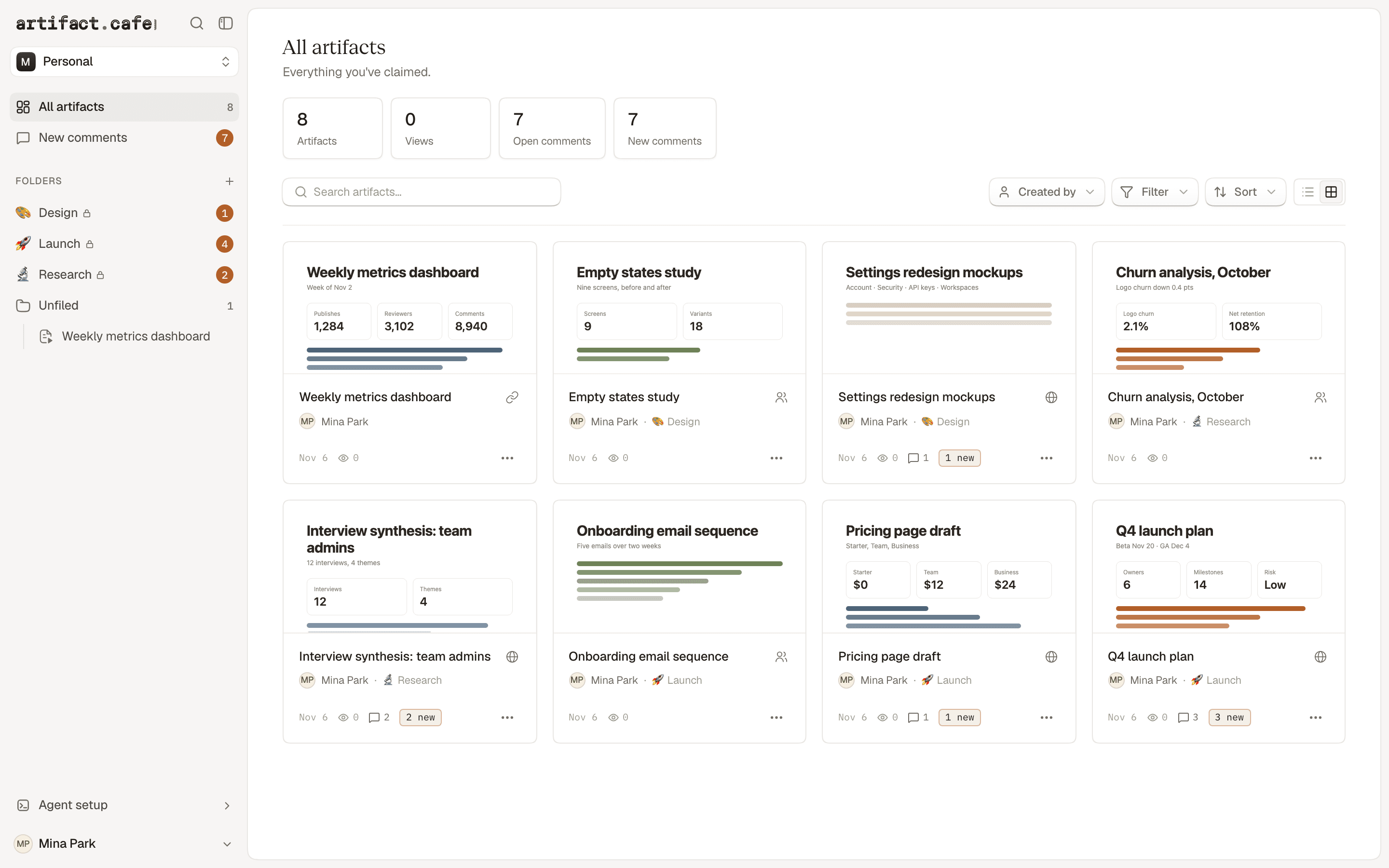
The new dashboard. The sidebar lists folders with unread-comment badges and a New comments row; artifact cards show "3 new" and "2 new" pills.

What you use every day sits closer to hand, and the settings you open once a month are easier to find.

  • Unread at a glance. Each folder shows a badge for recent comments you haven't read on your artifacts, in threads you joined, or mentioning you. A New comments row collects them at the top of the sidebar.
  • Settings in four tabs: Account, Security, API keys and Workspaces. Security lists every browser you're signed in on.
  • Team settings in place. Click a team in Workspaces to manage its members without switching workspaces.
Improvements8
  • SidebarUntil you have an API key, the sidebar shows how to connect your agent.
  • SidebarFolders rename in place.
  • SettingsDelete your account from Settings by typing your email to confirm.
  • SettingsLink or unlink Google and GitHub from the Security tab.
  • ReviewHighlights and pins on review pages are grey-black instead of amber.
  • ReviewA comment or reply you haven't sent stays put when you click away or reload, and comes back when you return to the same spot.
  • ArtifactsGames and other interactive artifacts can lock the pointer after you click, so they can hide the cursor and follow mouse movement.
  • ArtifactsArtifact pages start loading faster.
Fixes4
  • DialogsKeyboard focus is visible again in dialogs and tabs.
  • WorkspacesIf someone takes a handle while you're creating a workspace, the error now shows on the handle field.
  • WorkspacesAvatar upload errors now show next to the avatar.
  • ReviewOn phones, the last card of the first-visit tour no longer slips under the bottom bar, so you can finish the tour.
CLI and API2
  • CLIartifact-cafe pull downloads the current or an earlier version of an artifact, so you or your agent can edit it and publish again.
  • CLIPublishing from an out-of-date copy now stops with a version conflict instead of replacing a newer version. Pull and merge, or pass --force to publish over it on purpose.

A glance is enough

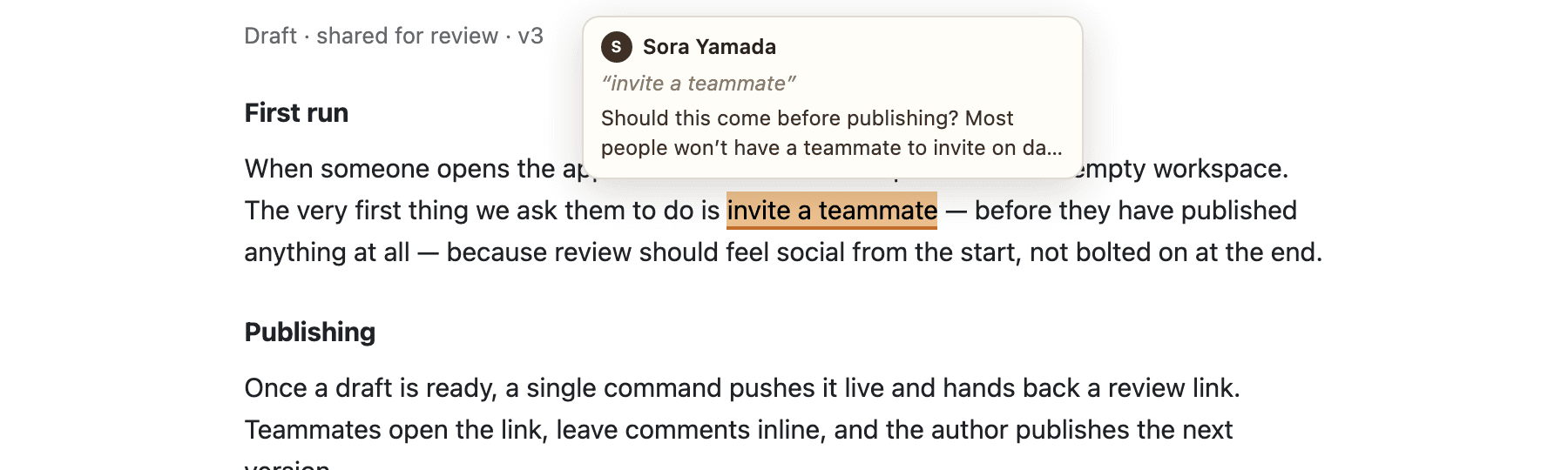
A review draft with the phrase "invite a teammate" highlighted; a hover card above it shows Sora Yamada's avatar, the quoted phrase, and the opening of their comment.

A review page can carry a lot of marks. Now you hover one to see who left it, the exact words they anchored to, and the first line or two of what they wrote. Clicking still opens the full thread.

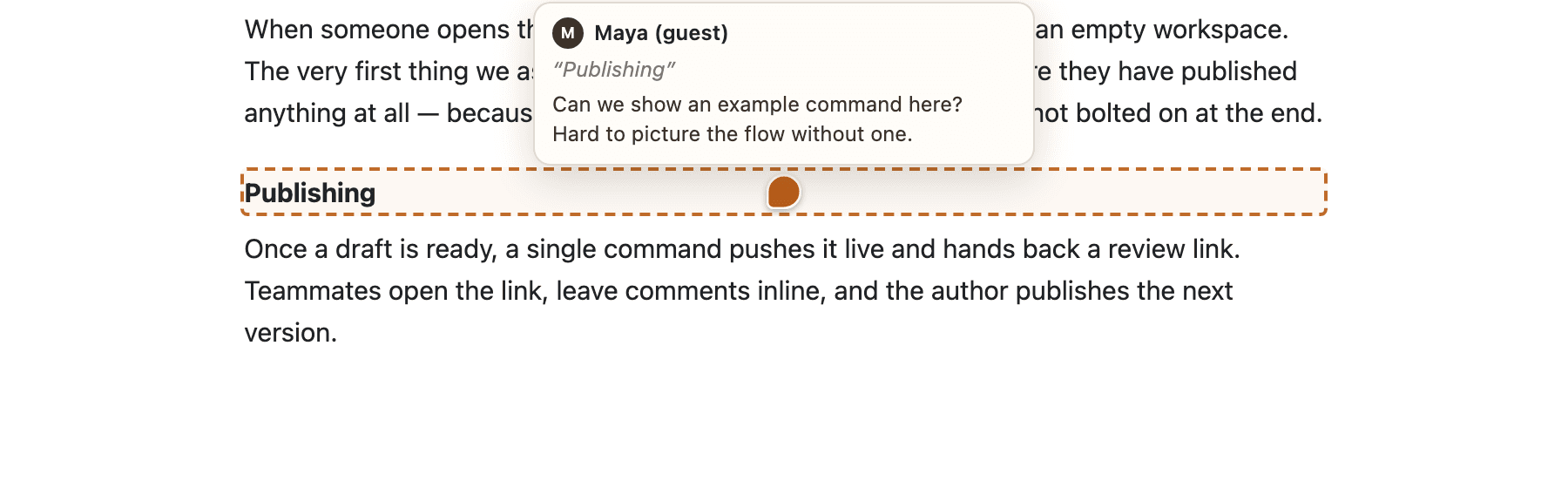
A pin on a "Publishing" heading, the heading outlined beneath a hover card showing Maya (guest)'s note about the section.

  • Same on every marker. Highlighted text, pins and emoji stamps all show the card.
  • Nothing new is shared. The card shows only the author, avatar and quote the review page already had.
Improvements1
  • ReviewHovering a pin outlines the element it's anchored to, so you see the note and what it points at together.

Say it with an emoji

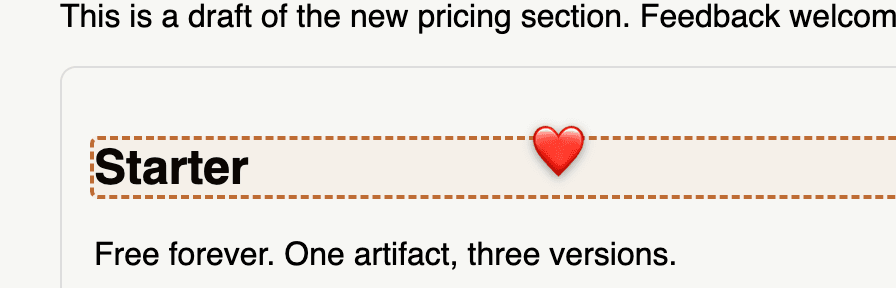
A red-heart stamp dropped on the Starter heading of a draft pricing section, inside the amber point-anchor outline.

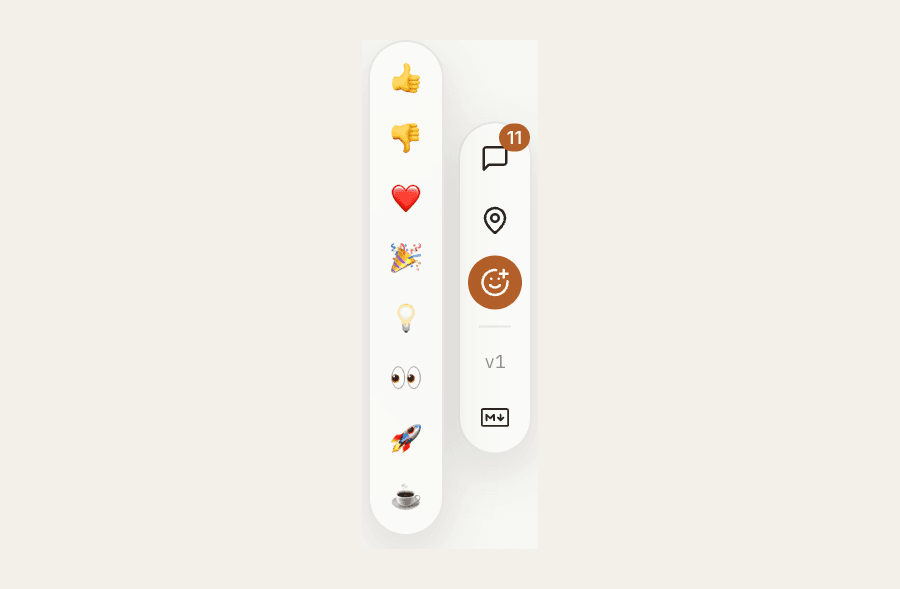
Some feedback is a paragraph. Some is just 👍. The review page now has a shared set of eight: 👍 👎 ❤️ 🎉 💡 👀 🚀 ☕.

The review rail with its eight-emoji stamp palette open alongside: thumbs up, thumbs down, heart, party, bulb, eyes, rocket, coffee.

  • Stamps on the page. Pick a glyph from the rail, below the pin, and click anywhere on the artifact to place it. Press Esc to put it back.
  • A stamp is a comment. It keeps versions, resolve and reopen, deep links and the agent export.
Improvements3
  • ReviewEvery comment has a reaction row. Pick an emoji to join its count, tap it again to take it back.
  • ReviewAgents reading feedback see reactions as counts per emoji, not a list of names.
  • ReviewGuest reactions have their own hourly limit, the same as comments.

Feedback finds you

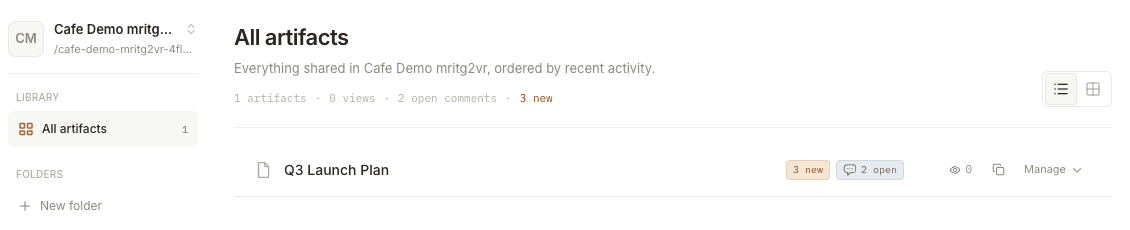
A dashboard artifact row wearing an amber "3 new" pill beside its open-comment count.

You no longer have to keep the review page open to know reviewers left comments. Each artifact with activity you haven't seen wears an amber N new pill on the dashboard, and threads with fresh replies carry a dot. Each member keeps their own read state.

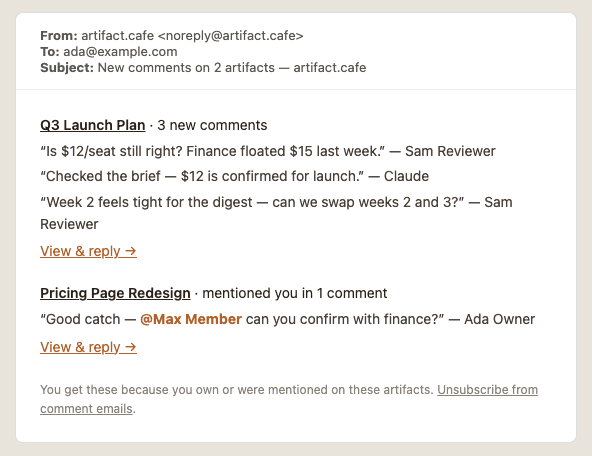
A digest email: three quoted comments on Q3 Launch Plan, a mention on another artifact, and View & reply links.

  • Email, batched. New comments arrive in one digest per burst, grouped by artifact with the first few quoted. Never one email per comment.
  • Read once, emailed never. Reading comments on the review page cancels their email, and no comment is emailed twice.
  • One-click unsubscribe. It turns off the emails and keeps the badges.
Improvements5
  • ReviewType @ in a comment to mention a workspace member. They get a badge and a "You were mentioned" email.
  • ReviewEvery thread has a copy-link button. The link opens the review page with that thread in view.
  • ReviewThe comments sidebar groups and orders threads so a long review stays readable.
  • WorkspacesEvery account gets a personal workspace at sign-up, with folders, visibility and the full dashboard.
  • NotificationsAgent replies count toward your unread, like replies from people.
Fixes1
  • ReviewA mention typed by a guest shows as text but never notifies anyone.
CLI and API2
  • CLI--folder works without --workspace. Account publishes land in your personal workspace.
  • CLIreply, resolve and reopen from the command line, and a notice when a newer CLI exists.

Workspaces for teams

Workspaces went from plan to shipped in one day.

  • Your own subdomain. {handle}.artifact.cafe is a public gallery for visitors and a dashboard for members.
  • Folders with visibility. Public, unlisted or workspace-only, enforced on the review page and on the artifact itself. A private artifact is private everywhere.
Improvements5
  • WorkspacesInvite by link or email, with owner, admin and member roles.
  • WorkspacesMembers comment under their own name and avatar. Guests still need no account.
  • ReviewReview links unfurl as a link-preview card. Locked artifacts get a discreet locked card.
  • ReviewOwners see view stats on the review page, with totals, unique visitors, time on page and a 14-day trend.
  • SecurityArtifact content is served from its own domain, artifactcafe.dev, so it never shares an origin with your session. Old links redirect.
CLI and API2
  • CLIpublish --workspace acme --folder specs publishes straight into a folder.
  • CLIlisten waits for new comments, and publishes carry the owner's display name.

The agent joins the review

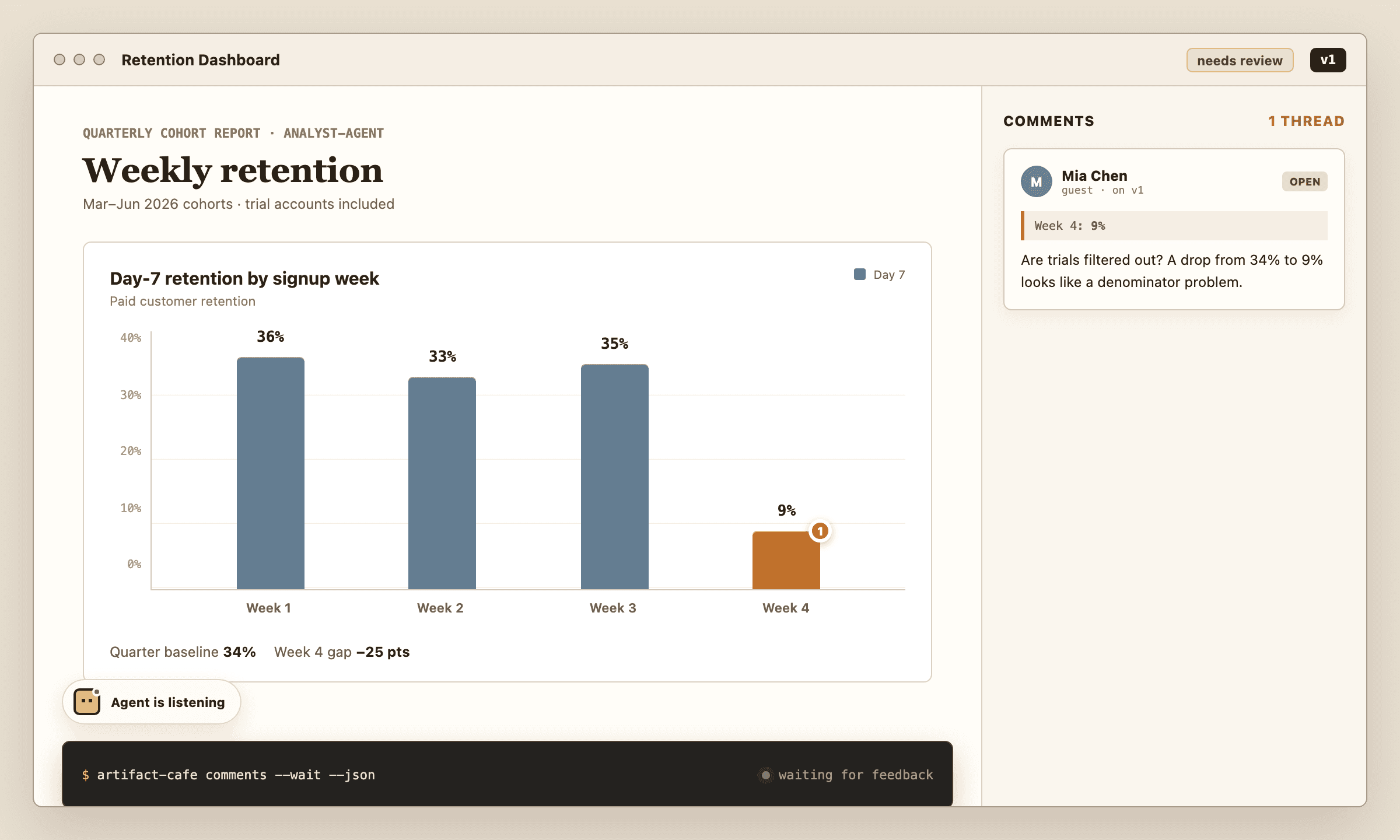
Version 1 of a dashboard under review, with an anchored comment on a suspicious Week-4 number, the "Agent is listening" pill, and the CLI waiting for feedback.

artifact-cafe comments --wait blocks until a reviewer leaves feedback, so your agent can publish, wait, revise and publish v2 without you copying anything between windows.

  • Agent is listening. Reviewers see a live pill while the agent waits.
  • New version banner. It appears on the review page the moment the next version lands.
Improvements5
  • ReviewAdd .md to any artifact URL for a clean Markdown copy, or use the copy-as-Markdown button on the review page.
  • ReviewFirst-time reviewers get a short tour of the review page.
  • AccountSign in to get a personal dashboard of your artifacts, versions, open comments and views.
  • DocsA docs site with search, navigation and llms.txt.
  • LimitsFiles can be up to 100 MB each and artifacts up to 250 MB.
CLI and API2
  • CLIlogin with an API key makes publishes yours from the start: no expiry, no claim link to keep.
  • APISend Accept: text/markdown to get an artifact as Markdown.

artifact.cafe goes live

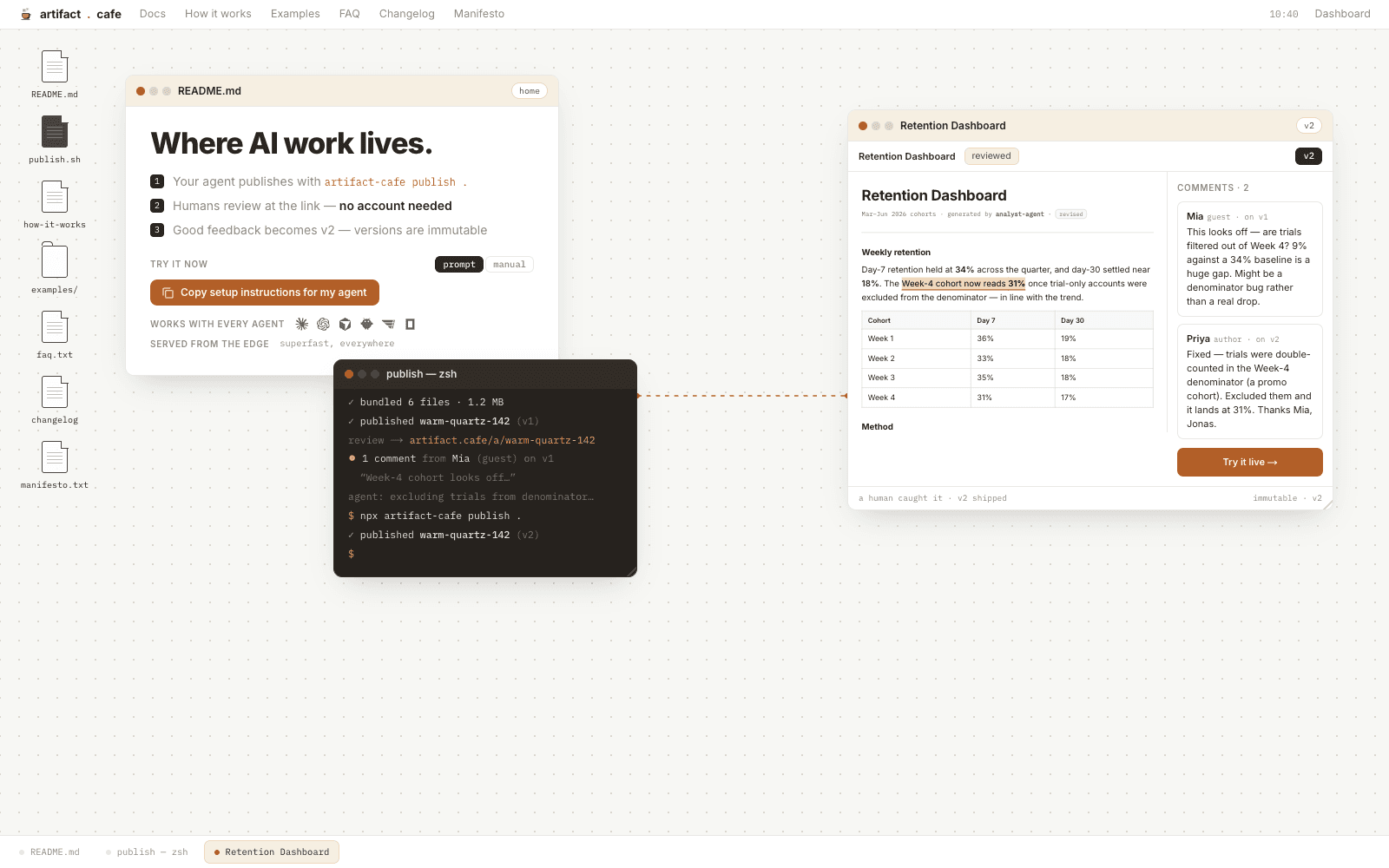
The artifact.cafe landing desktop, with the README window, publish terminal, and the Retention Dashboard review window acting out v1 to v2.

artifact.cafe is live, and every artifact is served on its own origin.

  • Password protection. Reviewers unlock a protected artifact once and stay unlocked for 30 days.
  • Limits that hold. Abuse limits keep one bad actor from spoiling the desk for everyone.
Improvements4
  • ReviewLinks are readable, made from your artifact's title instead of random characters.
  • ReviewRendered pages carry a small "Brewed at artifact.cafe" badge.
  • ReviewAudio and video stream, so long media starts playing right away.
  • SiteA FAQ window, and every window on the site can be resized.
CLI and API2
  • CLIInstall the agent skill with npx skills add Cadence-Lab/artifact-cafe-skill, or the CLI with a curl installer.
  • CLIpublish --password locks the review page and the artifact. Agents pass ?ac_pw to keep working.

The whole loop, in one day

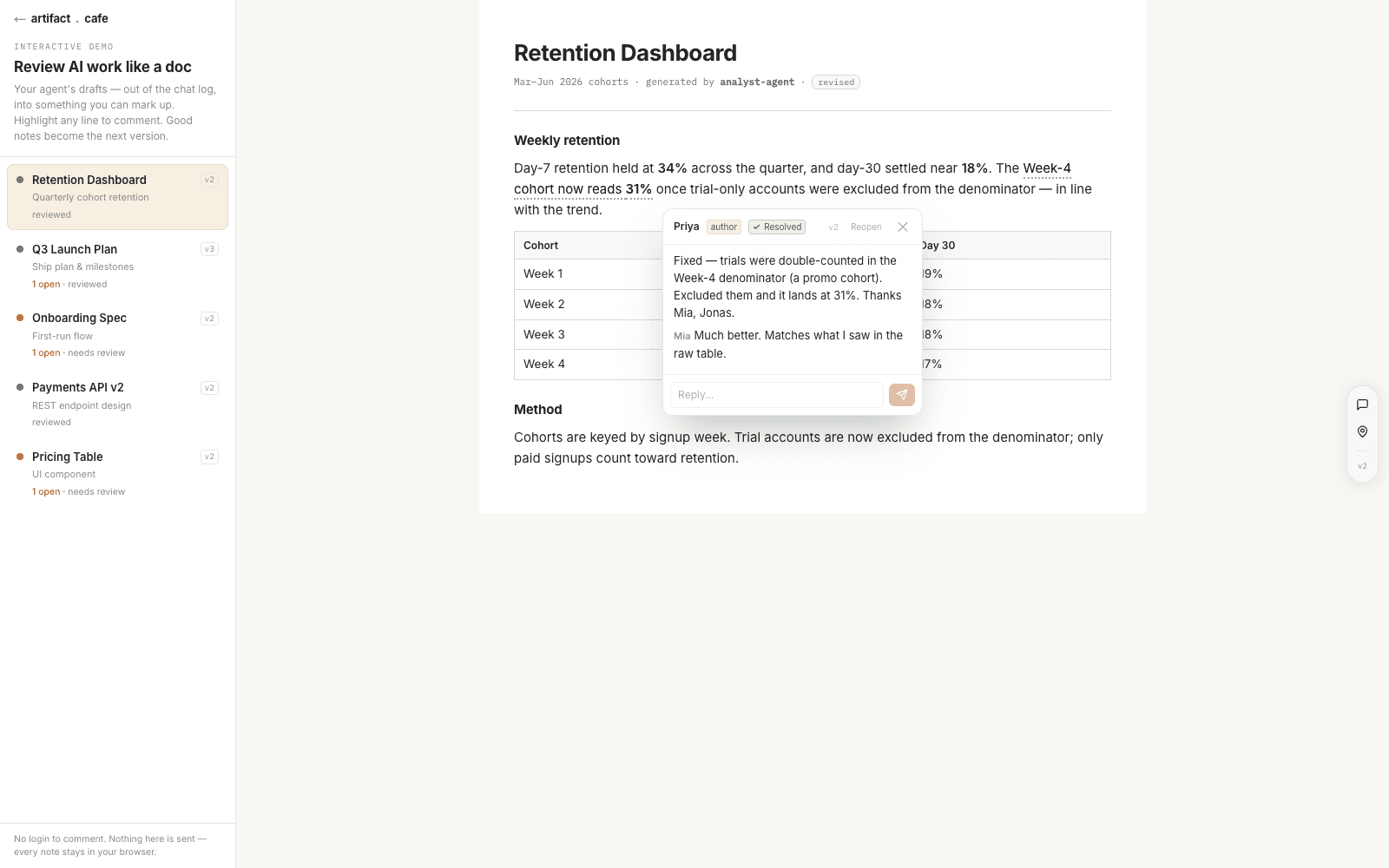
The interactive review demo, a Retention Dashboard artifact with a resolved comment thread pinned to the corrected number.

The first day of building ended with the core loop working, and a logo: say hi to Pixel Steam ☕.

  • artifact-cafe publish . Uploads only the files that changed since the last version.
  • A review page. Artifacts render in a sandbox, with comments on a point or on selected text, threads, and resolve and reopen.
  • Immutable versions. Publish v2 and each comment stays on the version it was made on.
  • Claim and own. A one-time claim link makes an anonymous publish yours, and an export lets agents read feedback.

First pour

A spec and a conviction: AI makes drafts, humans brew ideas. Everything after this happened on the weekends since.